What the Overview does
Applying to several roles means several versions of your CV, several job offers and several conversations at different stages. Kept in folders and spreadsheets, they drift apart: which version went to which employer, and what has happened since?
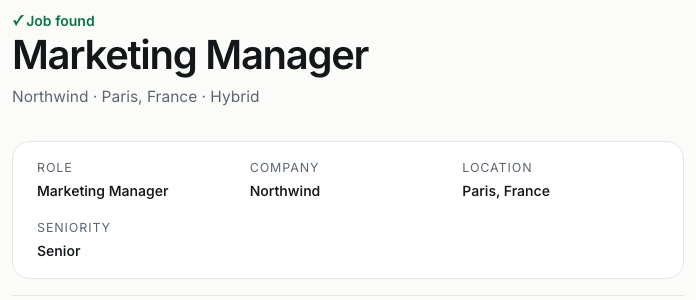
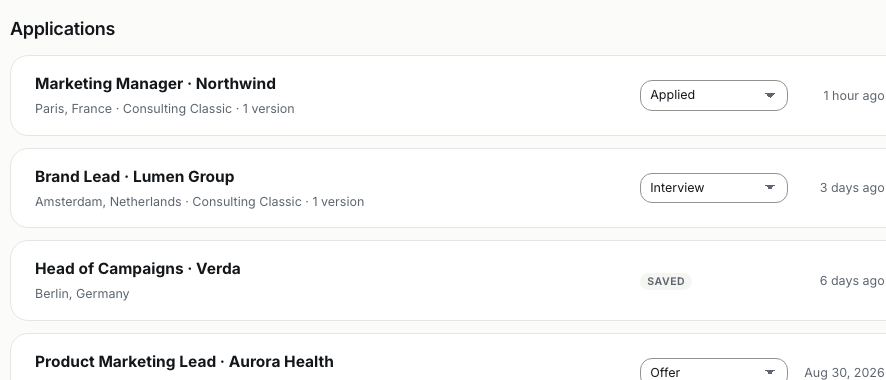
In Resumea, they stay connected. When you tailor a CV to a job offer, the job, the tailored CV and the application are saved together. The Overview lists your base CVs and every tailored version, your applications with their status, and the job offers you have saved.
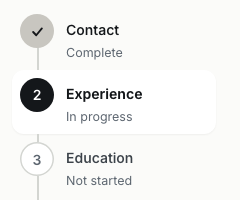
Behind it all is your Career Profile: your professional record, imported from your CV or entered once, with preferences such as target roles, preferred locations and work authorisation. Every new CV can start from it.
Who it is for
- Job seekers applying to several roles at the same time
- Anyone who tailors a CV for each application
- People returning to their search after a break
How the tracker works
- Tailor a CV to a job offer. The job, the tailored CV and the application are saved together in your account.
- Set the status. Move each application through Preparing, Ready, Applied, Interview, Offer and Closed.
- Find any version. Search by role, company or location, and filter by status or by base and tailored CVs.
- Reopen and reuse. Open, duplicate or download a CV, start a new version, or tailor your base CV to the next offer.
What is in your Overview
- Resumes — your base CVs, the reusable starting points, and every version tailored to a job offer.
- Applications — each tailored CV with its job offer and the status you set.
- Jobs — the job offers you have saved.
- Career Profile — the record every CV is built from.
- Subscription — your plan and billing.
Why track applications in Resumea
- Know which version went where. Every tailored CV stays attached to the job offer it was written for.
- Status at a glance. Six simple statuses, set by you.
- Nothing to copy across. Tailoring a CV creates the application; there is no separate list to keep up to date.
- One profile, many CVs. Your Career Profile feeds every new CV, so you never retype your history.
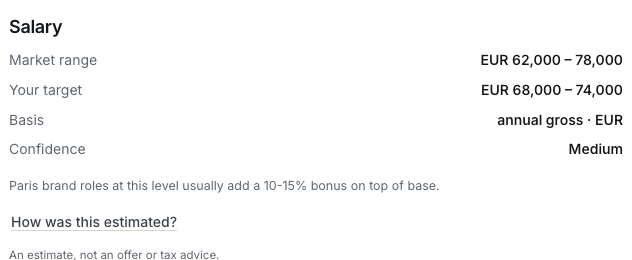
- Insights stay with the job. Match score, salary estimate and interview questions are kept with their application.
Common questions
How do applications get into the tracker?
An application is created when you tailor a CV to a job offer in Resumea. The job offer, the tailored CV and its insights are saved together, and the application appears in your Overview.
Can I track applications I made outside Resumea?
The tracker is built around the CVs you tailor in Resumea. To include another job, add its link or description and tailor a CV to it; it then appears with your other applications.
Which statuses can I use?
Preparing, Ready, Applied, Interview, Offer and Closed. You set and change the status yourself, and can filter your applications by it.
Do I need an account?
Yes. Your CVs and applications are kept in your Resumea account so you can edit, re-tailor and download them at any time.
Can I delete a CV or an application?
Yes. You can delete individual CVs and applications from the Overview, or all of them at once.