What the CV Studio does
A blank page is the hardest part of writing a CV, and a finished one is hard to change without breaking its layout. The CV Studio takes you through seven steps — Contact, Experience, Education, Skills, Summary, Tailor to job offer and Final check — and shows which are complete, in progress or not started.
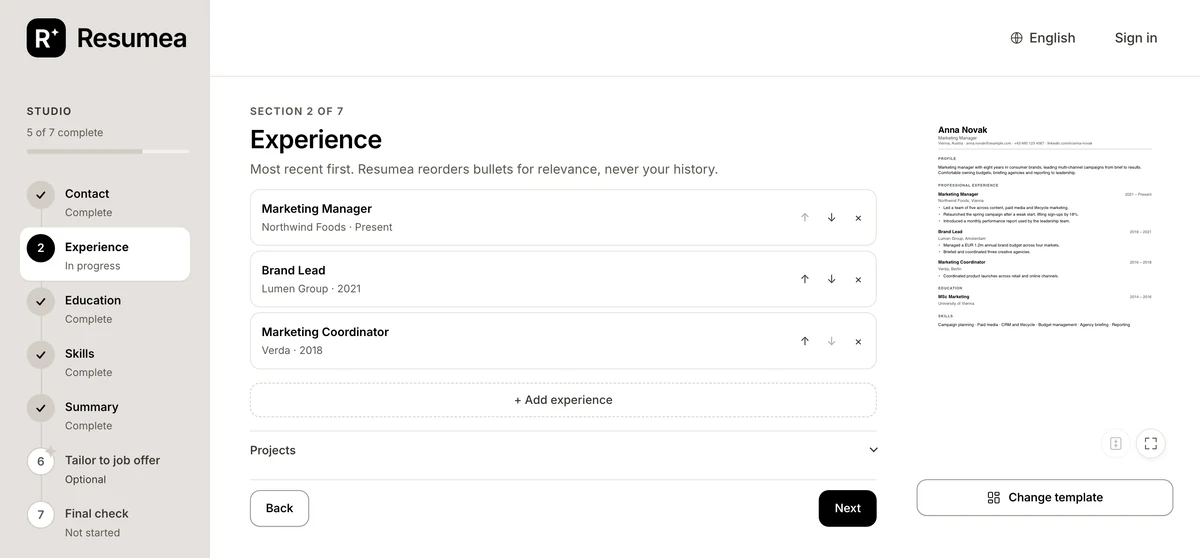
Beside the editor is your CV, set in the template you chose and updated as you type. Click any line on the page to edit it in place. Change the template, add a photo, zoom in or open the page full screen.
If you upload an existing CV, the Studio opens with it already filled in, imported into your Career Profile with your employers, titles and dates unchanged. Every new CV you create can start from that profile.
Who it is for
- First-time CV writers who want a clear structure to follow
- Anyone rebuilding an old CV that has drifted out of shape
- People who want to control every word rather than accept a generated draft
How the CV Studio works
- Start from your CV or a blank page. Upload a PDF or DOCX, or begin from scratch. Either way you land in the Studio.
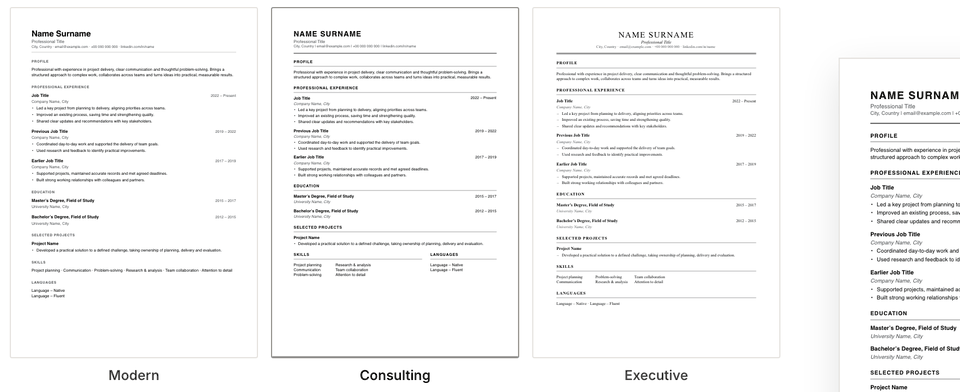
- Pick a template. Choose from 21 designs, and switch at any time without retyping anything.
- Work through the steps. Fill in one step at a time while the preview updates. Click any line on the page to edit it there.
- Check and download. Run the final check, fit the CV onto one page if you want, and download a PDF identical to the preview.
Tools on the page
- Edit in place — click any line on the CV to change it there.
- Fit to one page — Resumea fits the CV onto one page without changing your content, or tells you if it cannot.
- Change template — the same CV, set in another design.
- Photo — optional, in any template.
- Zoom and full screen — read the page at full size before you send it.
- Edit and Preview on a phone — each view gets the whole screen.
Why write your CV in the Studio
- One step at a time. A clear order and a visible status for every step, so you always know what is left.
- What you see is what you send. The PDF is drawn by the same engine as the preview, as real text.
- Edit the page itself. Click a line on the CV instead of hunting for it in a form.
- Clear guidance as you type. Fields tell you what they need, such as an email address with a domain or a date with its year.
- Saved automatically. Your work is saved as you go.
Common questions
Do I need an existing CV to use the CV Studio?
No. You can start from a blank page and fill in each step, or upload a PDF or DOCX and the Studio opens with your details already in place.
Does the PDF look exactly like the preview?
Yes. The preview and the PDF are drawn from the same layout, so the download matches what you see, as real text that can be selected and read by applicant tracking systems.
Can I fit my CV onto one page?
Yes. When your CV runs over, Resumea offers to fit it onto one page without changing your content. If even its tightest setting needs more pages, it tells you so.
Can I edit my CV on a phone?
Yes. On a small screen the Studio switches between Edit, Preview and AI views, so each has the full width.
Is the CV Studio free?
Building, editing and previewing your first CV is free, including every template. Downloading the PDF needs a weekly or monthly subscription.